Slave Tool + Files Service: The Cheapest Way to Start Tuning
Want to start reprogramming without paying for editing software and training? A Slave tool attached to MFT Dev plus our Files Service is the lowest-cost entry. You read and write. Our engineers prepare the file. Each file costs fewer credits.
Most garages think tuning starts with a big investment: a tool, an editing suite, months of learning maps. It does not have to. A Slave tool attached to MFT Dev, combined with our Files Service, is the cheapest way in. You do the part you already know how to do. Our engineers do the rest.
What a Slave tool actually does
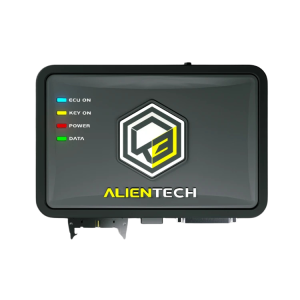
A Slave tool reads and writes. It never edits. Its readings are encoded, and only its reference Master can modify them. The Slave then writes the file that comes back.
That is a limit, and it is also the point. You do not need to understand maps, drivers or checksums to start. You need to read the ECU properly and write a file safely.
- The Slave reads the ECU (or the TCU) and produces an encoded file.
- The Master modifies it. Here, the Master is MFT Dev.
- The Slave writes the modified file back to the vehicle.
A Slave never modifies a file itself and never works with another tuner. Changing Master, or going Master yourself, is only possible with the written agreement of your current Master. Keep that in mind before you buy.
Why it costs less
With a Slave tool attached to MFT Dev, each file costs fewer credits. You do not pay for editing software. You do not spend weeks learning to edit calibrations. You do not carry a second tool just to handle the modification step.
You buy credits in advance, send your reading, and our engineers prepare the file. Credits are spent per file, and the Slave rate is lower than for an unattached tool.
The workflow, step by step
1. Check the vehicle before you promise anything
Look the vehicle up in the manufacturer’s list for your tool. Check the right mode (OBD, Bench or Boot), whether the protocol is marked as coming soon, and whether an extra module is required. Do this before you quote the customer, not after.
2. Read the ECU
Connect the tool and run the read in the correct mode. Use a stable power supply. A battery that drops mid-read causes more problems than any software.
- Check battery voltage and put a charger on it.
- Switch off consumers: lights, heating, radio.
- Run the read and make sure it completes without interruption.
- Keep the original file. Never delete it.
3. Create your request on the Files Service
Send the reading, choose the service you want, and add the vehicle details: engine, ECU reference, any previous modifications, hardware changes. The more precise you are, the better the file.
4. Talk to the engineer
Every request has a chat with the engineer who works on it. Use it. Mention the injectors, the turbo, the exhaust, the fuel quality. A customer who says the car is stock when it is not is the most common source of trouble.
5. Receive the file and write it
On average, the modified file is ready in 15 minutes, Monday to Saturday. Your Slave tool writes it back to the vehicle. Our engineers do the file. You write it.
6. Test and record
Start the engine, check for fault codes, then drive the car. Note what you did and what the customer asked for. If something is off, go back to the chat with the engineer and give the details.
The traps to avoid
- Promising before checking. A vehicle that is not in the list, or that needs a different mode, will cost you a day.
- Skipping the original file. Always keep it. It is your way back.
- Weak power supply. A failed write on a dying battery can leave the ECU unreadable.
- Hiding hardware changes. The file has to match the car, not the brochure.
- Quoting a power figure before the file exists. Gains depend on the vehicle. Measure, do not guess.
- Buying the wrong activation. Activations are sold by vehicle group and by mode. An OBD car activation does not cover Bench, Boot or trucks.
Who this setup suits
It suits a garage that wants to add a service without building a tuning department. It suits a technician who wants to learn on real jobs, with an engineer one chat away. It suits a small workshop that does a few vehicles a week and cannot justify the cost of editing software.
If your volume grows and you want to edit files yourself, you can move to a Master setup later. Remember that this change requires the agreement of your current Master. Plan it as a decision, not as an afterthought.
What we cover
The Files Service handles cars, vans, motorbikes, quads, SSVs, trucks, agricultural machines, jet-skis and boats. Credits are bought in advance, and the engineer is available in the chat on each request.
Ready to start with a Slave tool and credits that go further? Create your account on the Files Service: Files Service